Check if an order was challenged in the Supreme Court
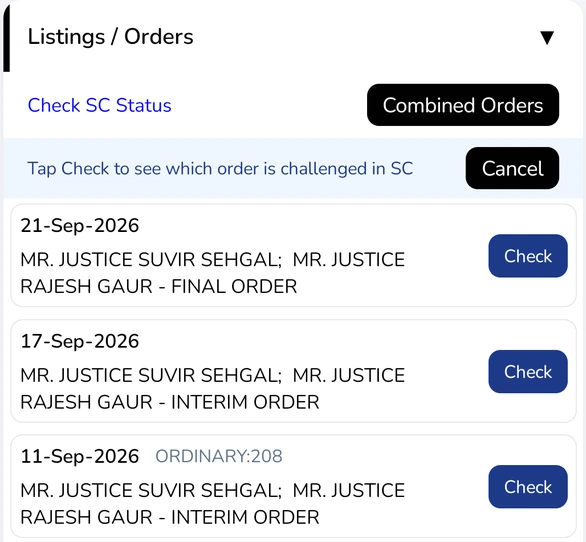
- Open a High Court case and scroll to Listings / Orders.
- Tap Check SC Status. You see "Tap Check to see which order is challenged in SC".
- Tap Check next to the order you want to look up.
Tap Cancel to leave without checking.
Read the result
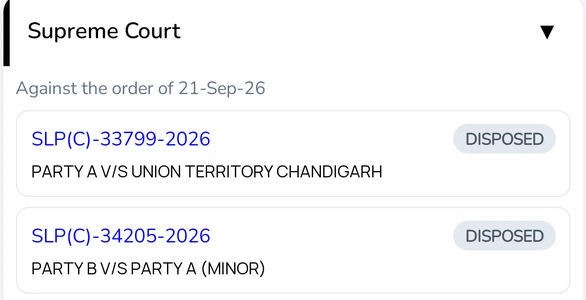
- Supreme Court cases filed against that order appear under Supreme Court, captioned Against the order of …. Tap one to open it.
- If none is found, you see "No Supreme Court case found against the order of …".
Check is shown for past orders that have an Order to open. It isn't available for custom cases.
Appeals in the Punjab & Haryana High Court
- An appeal, such as an LPA, a COCP, or a review, shows an Appeal Case row with the case it was filed against. Tap it to open that case.
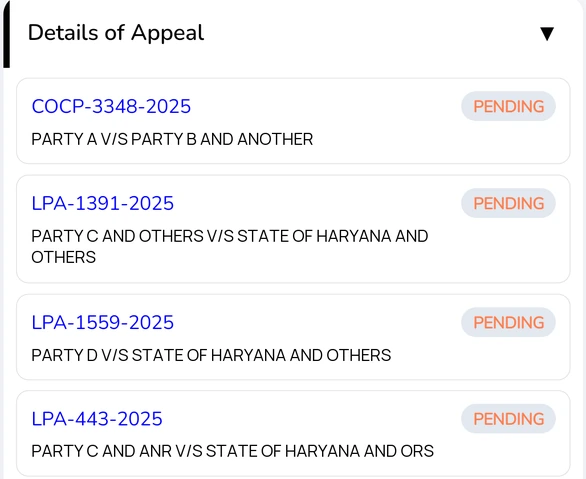
- A case that has been appealed shows Details of Appeal, listing each appeal with its status. Tap one to open it.
- On the home screen, a listed case also shows its appeal, or the case it appeals, in the connected matters line.
Availability: appeal links are available for Punjab & Haryana High Court cases.