Add a note from case details
- Open a case from a folder, search, or the cause list.
- Tap from top title bar on the case details screen and select Add Note.
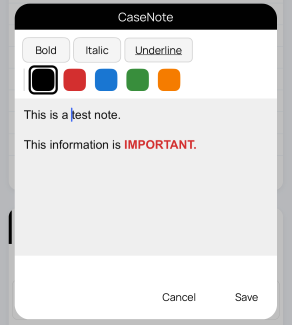
- CaseNote dialog with open.
- Write your note, then tap Save.
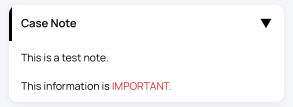
💡 Note remains available whenever you open the case again.
What to write in case notes
- Short preparation points for the next hearing.
- Important observations from orders, arguments, or court proceedings.
- Tasks to remember before the next date.
- Client, document, or filing reminders that belong with the case.
Keep notes useful
Write concise notes that help you understand the case status quickly later. Keep sensitive or final legal conclusions checked against official records before relying on them.
Tip: Add notes immediately after checking orders or attending court, while the context is still fresh.