Review today’s list
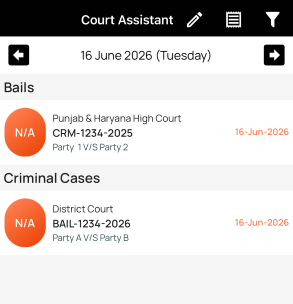
- Open the app home screen.
- Select a date, or leave it as today's date.
- Wait for the case sync to complete.
- Tap Cause List in the top toolbar.
- Your cause list summary is ready — tap to view or share it.
Use it during court work
- Check the list in the morning before leaving for court.
- Open important cases once and keep them ready before the matter is called.
- Use case notes for reminders, arguments, or next steps.
- Recheck the list if the court updates listing information during the day.
If a case is missing
Confirm that the case is saved correctly and that you are viewing the correct date/court. If official listing data changes, refresh or check the official source before relying on it.