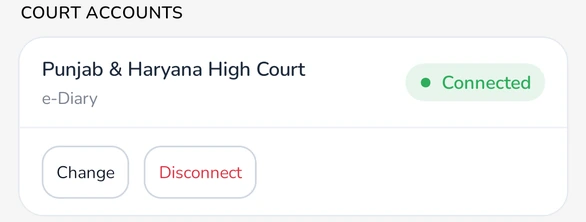
Connect the e-Diary
- Open Settings and find Court Accounts.
- Next to Punjab & Haryana High Court, e-Diary, tap Connect.
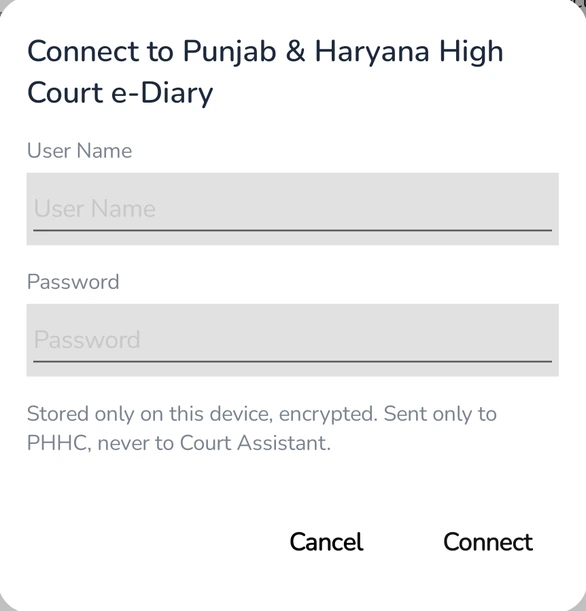
- Enter the User Name and Password you use for the PHHC e-Diary, and tap Connect.
Court Assistant checks the sign-in with PHHC. When it works, the row shows Connected.
Your sign-in stays with you: it is stored only on this device, encrypted, and sent only to PHHC, never to Court Assistant. Connect it again on each device you use.
Find new cases from your e-Diary
- Open the Search tab.
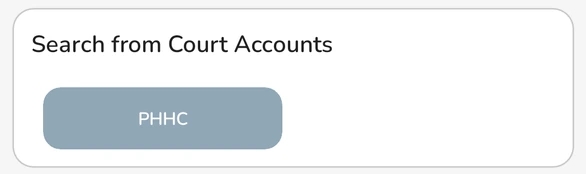
- Under Search from Court Accounts, tap PHHC.
- The results show New cases in your PHHC e-Diary. Add the ones you want to a folder.
Turn on Exclude saved cases in Settings to hide cases that are already in your folders.
Get case files from the e-Diary
- Open a Punjab & Haryana High Court case and go to Case Files.
- Tap Get from court account. You see Adding 1 of N files while they download.
- When it finishes, you see how many new files were added, or No new files found if you already have them all.
Files you already have are skipped, so it is safe to tap again later for new filings.
Plan: case files are saved to your cloud storage, so Get from court account shows when your plan includes storage.
Change or disconnect
- Tap Change to enter a new user name or password, for example after you change your password on the PHHC site.
- Tap Disconnect to remove the sign-in from this device.
- If PHHC stops accepting the saved sign-in, the row shows Needs attention. Tap Change and enter it again.
Troubleshooting
- "PHHC did not accept this sign-in.": check the user name and password on the PHHC e-Diary site, then try again.
- "Try again tomorrow.": after repeated failed sign-ins, wait a day before trying again.
Availability: Court Accounts shows in Settings when it is available on your account.